How does StudaHub work out what a family owes?
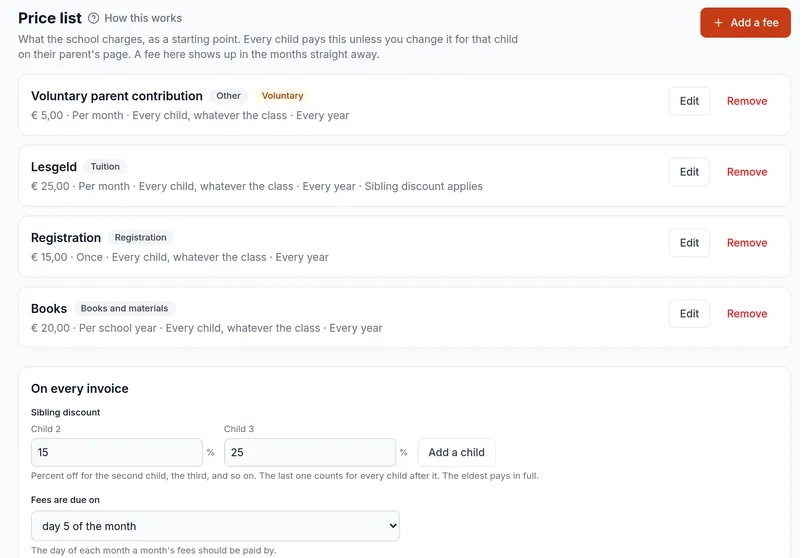
The price list is the starting point. A fee per month is charged for every month a child is on a class list. A fee per lesson is the amount times the lessons on the child's timetable that month, whether they came or not; cancelled lessons and days the school is closed are not counted. A fee per school year is spread over as many months as the parent chooses to pay it in, and a fee charged once, such as registration, falls in the first month the child is there.
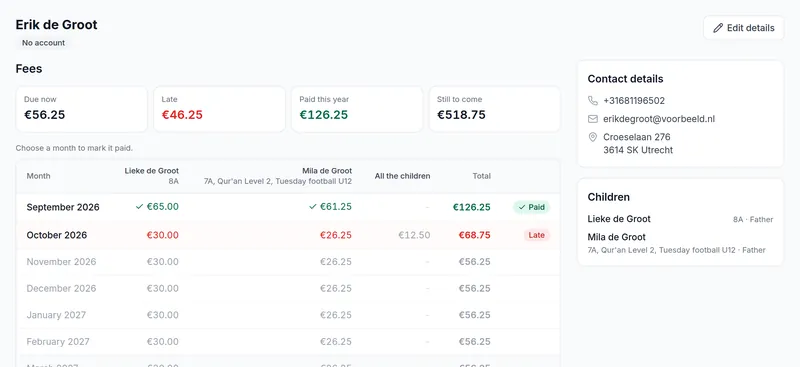
A child who joins halfway through the year gets their months from the month they start, and a child who leaves is not charged for the months after. When you change a price, every month that is still open follows it at once. A month that has been paid or invoiced keeps the price it had, because that is a record now.
How does the sibling discount work?
StudaHub puts brothers and sisters together by the parents they share, so nobody has to make families by hand. The eldest child pays the full amount. You set a percentage for the second child and one for the third and every child after that, for example 15% and 25%, and tick which fees it applies to: usually the tuition fee, not the books.
A parent whose children pay in two groups, for example after a divorce, sees both. A reduction, such as for hardship or a teacher's own child, comes off after the sibling discount, and an amount you type for one child is what they pay.
Does StudaHub send payment reminders?
Yes, every morning, to the parent the invoices go to: three days before a month is due, a week after it if it is still open, and three weeks after. Then it stops, because a phone call works better than a fourth email. Nobody gets the same reminder twice, a paid month gets none, voluntary contributions never get one, and a parent you have an arrangement with can be left out.
What about invoices and credit notes?
Invoices are optional. When you want them, StudaHub makes a numbered PDF invoice per family for a whole month in one go and emails it to the parents. Numbers run like 2026-0001, starting again each January, with no gaps. A school trip or a lost book can be invoiced on its own.
A month on an invoice is not simply changed afterwards. A credit note lowers it, with the amount and the reason, and lowering an invoiced month on the parent's page makes the credit note by itself.
What does the office see?
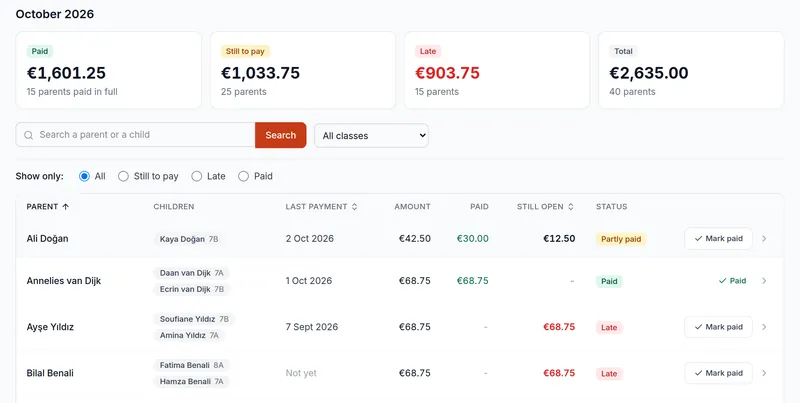
The payments page opens on this month, with what was paid, what is still to pay, what is late and what the month comes to, and every family below it, 25 to a page, searchable by parent or child. Marking a month paid takes two clicks, with how it was paid: transfer, card or cash. Money handed over without saying what for pays the oldest open months first.
A mistake is put right without deleting anything, so the list of payments still matches the cash tin. The reports show what is outstanding, how late it is in four steps from 1 to over 90 days, every family that is behind and what came in per payment method, and download as a spreadsheet.
What do parents see?
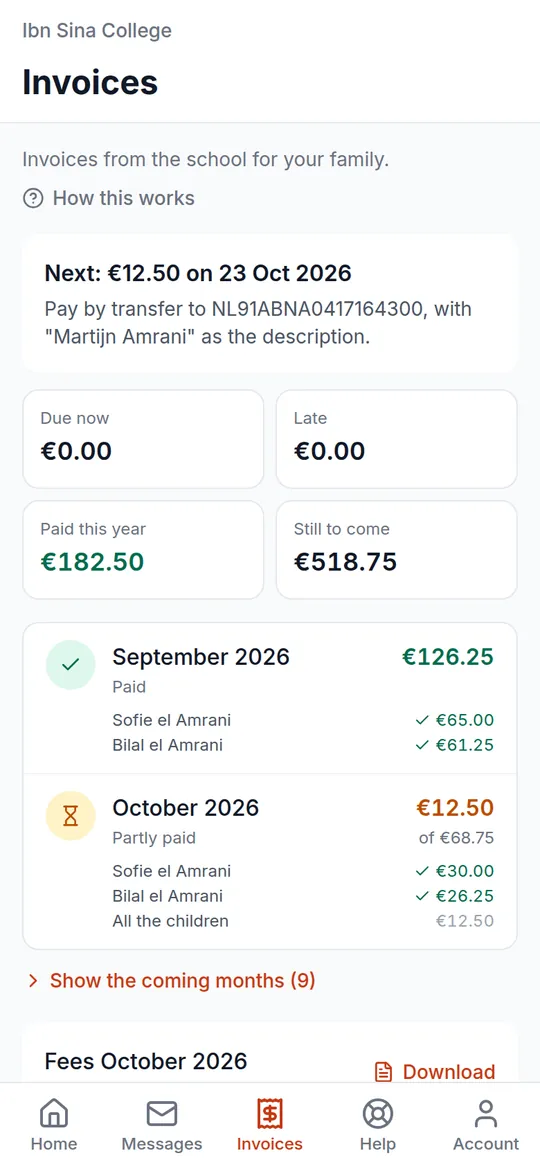
Parents have an Invoices tab in their app. At the top it says what to pay next and by which date, in red if it is late. Below that are the months for each child, with what each was for and whether it has been paid, the account number to pay into, and any invoices to download.
A spreadsheet and the bank statement compared with StudaHub
| Task | Spreadsheet and bank statement | StudaHub |
|---|---|---|
| What each child owes | A sheet per year, typed by hand | Worked out from the price list every month |
| Sibling discount | Calculated by hand per family | Taken off by itself, from the parents children share |
| Who has paid | Ticked off against the bank statement | Marked in two clicks, by transfer, card or cash |
| Reminders | Sent when someone has time | Sent by themselves, before and after the due date |
| Invoices | Made one by one | Numbered PDFs per family, emailed in one go |
| Parents | Ask the office what is still open | See what they owe in their app |