Timetable

School timetable software that turns your week into real lessons

Build the repeating week once, by dragging subjects, teachers and rooms into the grid. StudaHub turns it into dated lessons for the weeks ahead, with holidays left out.

First 3 months half price · From €19 a month per school · VAT included

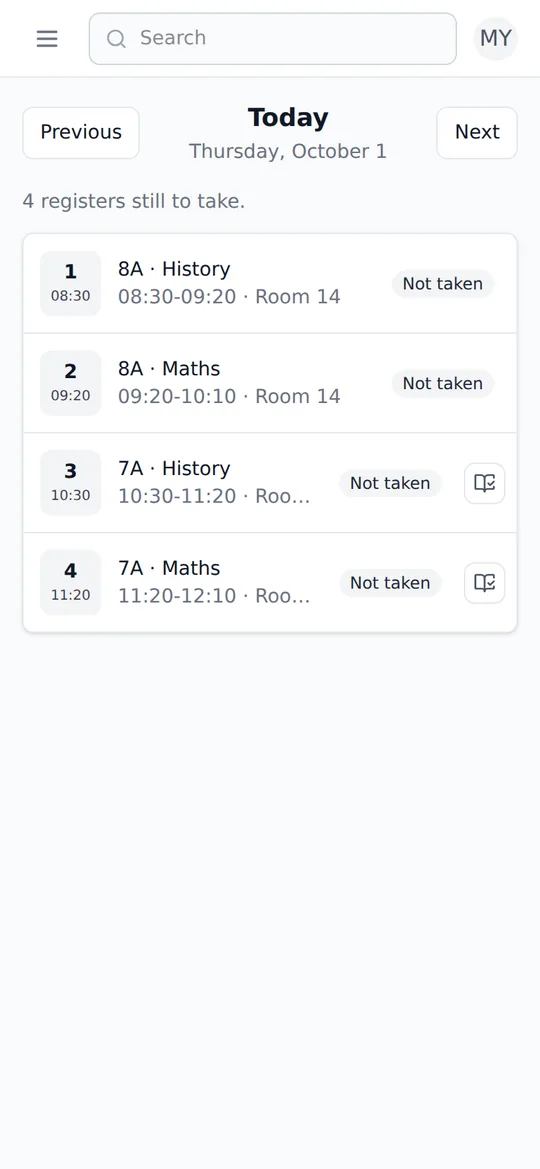
A teacher's day in StudaHub on a phone: today's lessons with times and rooms, and which registers are still to take

StudaHub's timetable starts from your school's own periods. You drag subjects, teachers and rooms into each class's week, and StudaHub turns that weekly pattern into real, dated lessons. Each lesson has its own register, closures take lessons off the calendar, and a single lesson can change without touching next week.

The week

Drag the week together.

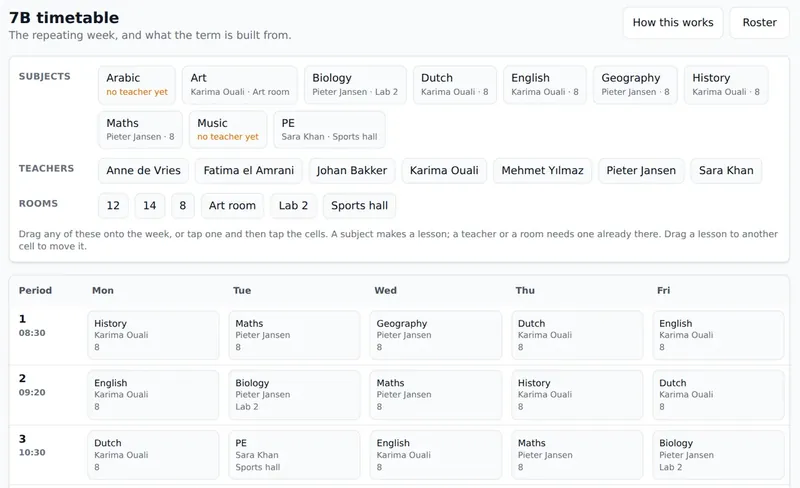
Above the grid are the class's subjects, the teachers and the rooms. Drag one onto the week, or tap it and then tap the cells. A subject makes a lesson, a teacher or a room is added to one, and a lesson moves by dragging it to another cell.

  • Periods and times set by the school
  • Each subject with its teacher and room
  • A subject without a teacher yet is shown, so nothing is forgotten
A class timetable in StudaHub: subjects, teachers and rooms above a weekly grid of lessons by period and day

Every day

Everyone sees the lessons that are really happening.

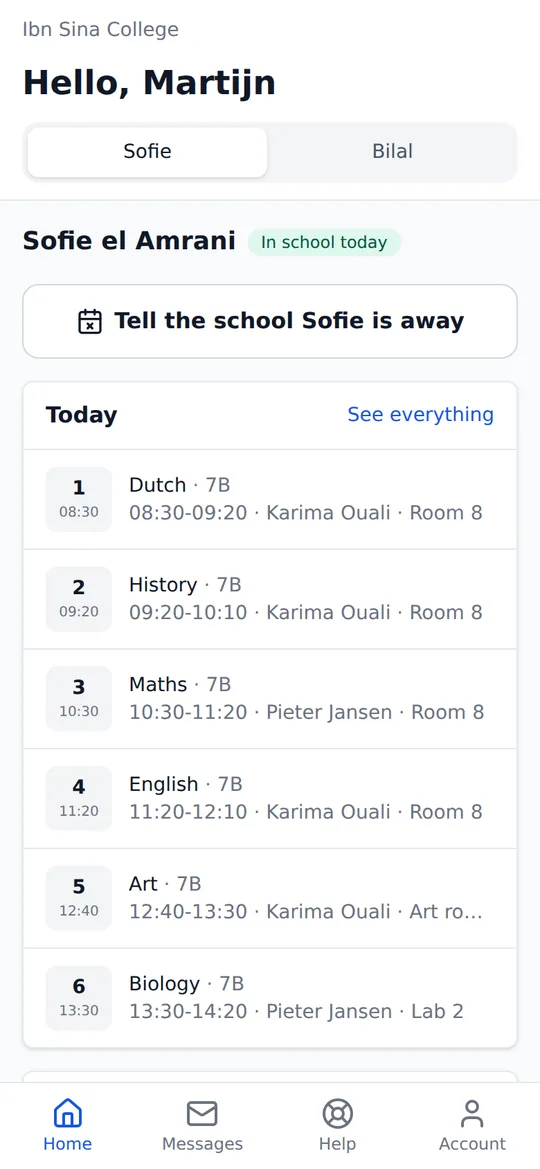
The weekly pattern becomes dated lessons. Teachers see today's lessons with a register for each, and parents and students see the same lessons on their own home screen.

  • Dated lessons generated for the weeks ahead
  • Holidays and study days take lessons off the calendar
  • A weekend or weekday school starts from the right days
A parent's home screen in StudaHub on a phone: a tab per child, a button to tell the school a child is away, and today's lessons

How does a weekly timetable become dated lessons?

You build each class's week once: which subject sits in which period on which day, with its teacher and its room. StudaHub uses that pattern to fill the weeks ahead with real lessons, each with a date, the period's start and end time, the subject, the teacher and the room.

Each of those lessons has its own register. Holidays and study days are added as closures, and the lessons that fall inside them are left off the calendar, so nobody is asked to take a register on a day the school is shut.

What if a teacher is ill or a room is not available?

Change the one lesson, not the week. A dated lesson can get a cover teacher or a different room, or be cancelled with a reason. The cover teacher sees the lesson on their own Today screen, with the register ready, and next week the pattern is back as it was.

Who sees the timetable?

Teachers see the lessons they teach today, with times and rooms. Parents see today's lessons for each of their children on their home screen, and students see their own. The office and the head of school see each class's week in the grid.

What does the timetable connect to?

The timetable is where the rest of the school day starts. Each dated lesson carries the register for that class, so attendance is counted per lesson hour. Homework is set for the class, and parents see the same lessons on their phone as the teacher sees on theirs. Change the timetable and those follow, because they all come from the same record.

Does it fit our school day?

The periods are yours: name them and give each a start and an end time. A weekday school's grid runs Monday to Friday and a weekend school's starts from Saturday and Sunday, and evening periods work just as well as morning ones.

A spreadsheet timetable compared with StudaHub

TaskSpreadsheetStudaHub
Building the weekTyping names into cellsDragging subjects, teachers and rooms into the grid
HolidaysEdited in every copy that is going roundOne closure takes the lessons off the calendar
A cover lessonA message to the staff groupA change to one dated lesson, which the cover teacher sees
RegistersA separate list per classEvery lesson has its own register
Parents and studentsA printout or a PDFToday's lessons on their own screen

How it works

  1. Set the school dayAdd the periods with their start and end times, and the rooms.
  2. Add subjects and teachersEach class gets its subjects, and each subject a teacher and a room.
  3. Drag the week togetherPlace the lessons in the grid, class by class.
  4. Change one lesson, not the weekA cover teacher, a room swap or a cancelled lesson applies to one date only.

Frequently asked questions

Can one lesson change without changing the timetable?

Yes. A cover teacher, a different room or a cancelled lesson is a change to that one dated lesson. The weekly pattern stays as it is, so next week's lesson is back to normal.

What happens to lessons on a holiday?

Add the holiday or study day as a closure and the lessons inside it are taken off the calendar. Nobody is asked to take a register for a day the school is shut.

Does it work for a school that only meets at the weekend?

Yes. When a school signs up it says what kind of school it is, and a weekend school's timetable starts from Saturday and Sunday.

Can parents see the timetable?

Parents see their own children's lessons for today on their home screen, and students see their own. They only ever see their own family's timetable.