GDPR for Schools: A Plain Guide to Student Data
GDPR for schools in plain language: what the rules mean for student data, what to ask any software supplier, and a checklist your office can use this term.

Key takeaways
- Your school is the controller of student data. Any software supplier that stores it for you is a processor and needs a written data processing agreement.
- Collect only what you actually use, restrict who can see it by role, and keep a record of who changed what.
- Know your breach routine before you need it: a reportable breach goes to the supervisory authority within 72 hours where feasible.
GDPR for schools comes down to five habits: know why you hold each piece of student data, hold as little as you can, keep it secure, let only the right people see it, and be able to show what you did. The law is long, but for a school office those habits cover most of the daily work. The rest is paperwork that proves the habits are real.
This guide is for heads of school, office managers and the people who run weekend schools and clubs. It explains what the General Data Protection Regulation means for student records in practical terms, what to check before you put any of that data into software, and what to do on the bad day when something goes wrong.
One honest note first. This is general information for school offices, not legal advice. Your country may add its own rules on top of GDPR, and if you are unsure about a specific case, ask your data protection adviser or your supervisory authority.
What GDPR means for a school, in one table
The regulation itself is Regulation (EU) 2016/679. You do not need to read all of it. These six do most of the work in a school:
| Article | What it says | What it looks like in a school |
|---|---|---|
| Article 5 | Principles, including data minimisation | Only collect fields you actually use. Delete what you no longer need. |
| Article 8 | Children and online services; member states set the age between 13 and 16 | Be careful when students sign up for online services directly. |
| Article 20 | Data portability | Data should come out in a structured, machine-readable format. |
| Article 28 | Processors need a written contract | Every supplier that stores your data signs a data processing agreement. |
| Article 32 | Security of processing | Passwords, access by role, encrypted connections, sensible hosting. |
| Article 33 | Report breaches within 72 hours where feasible | Know who decides, who reports and where. |
If you work in the UK, the rules sit under UK GDPR and the Information Commissioner's Office publishes resources for schools on children's information. They are worth a read whichever country you are in, because they are written for exactly the questions a school office asks.
Who is responsible for student data: the school or the supplier?
The school is the controller. You decide what data you collect about students and families and what you use it for. That responsibility stays with you even when the data lives in someone else's system.
Any company that stores or handles that data on your behalf is a processor: your school management software, your email provider, the cloud drive where the admissions forms end up. Article 28 says the relationship must be set out in a written contract, usually called a data processing agreement or DPA. It covers what the processor may do with the data, security, sub-processors, breach notification and what happens to the data at the end.
In practice, make a simple list of every tool that touches student data. Most offices are surprised by how long it gets. Then check each one has a DPA on file.
Data minimisation: the habit that saves the most trouble
Article 5 asks you to keep data "adequate, relevant and limited" to what you need. This is the principle worth putting on the office wall, because every field you do not collect is a field that cannot leak, go out of date or need a deletion routine.
Go through your enrolment form line by line and ask what each question is for:
- Name, date of birth, class: needed to run the register.
- Guardian names, phone and email: needed to reach families about absence and emergencies.
- Medical and allergy notes: needed, but only the people who look after the child should see them.
- Religion, nationality, second parent's employer: ask whether anyone actually uses this. If not, stop collecting it.
- Old records from students who left years ago: set a retention period and stick to it.
Sensitive details such as health information deserve extra care. Keep them to the staff who need them, and do not copy them into emails or shared spreadsheets.
Access by role and a record of changes
GDPR does not list the exact security measures you must use. Article 32 asks for security appropriate to the risk. For a school, the most useful measures are unglamorous.
Give every person their own login. Shared office passwords make it impossible to know who did what. Then give each role only what it needs: a teacher needs the register and contact details for their own classes, not the whole school's medical notes. A parent needs their own child, nothing more.
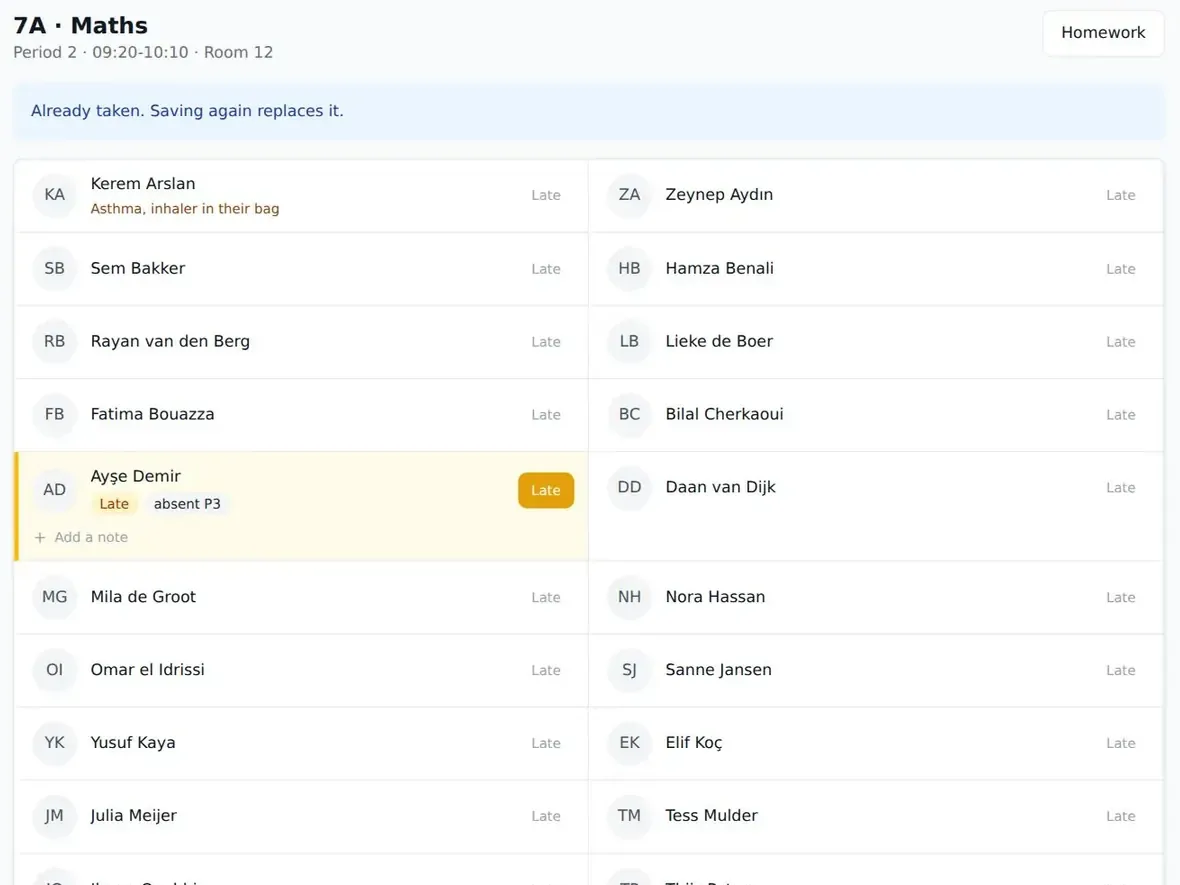
The second measure is a log. If a guardian's phone number changes and a message goes to the wrong person, you want to see who changed it and when. In StudaHub, permissions are set by role (administration, office, teachers, parents and students each have their own view, see the five roles) and every change to records and permissions goes into an audit trail. Whatever system you use, ask for both.
Where the data lives and how you get it out
Hosting location matters because transfers of personal data outside the EU come with extra conditions. The simplest position for a European school is a supplier that hosts in the EU.
Just as important is the exit. Article 20 gives individuals a right, in certain cases, to receive their data in a structured, commonly used and machine-readable format. Separately from that right, as the controller you should always be able to take your whole dataset with you if you change supplier. If a vendor makes export difficult or charges for it, that is a problem for GDPR and for your budget. Our guide to switching school management software covers the practical side of moving.
StudaHub is hosted in the EU and the school owns its data: you can export everything in open formats at any time, including when you leave.
What should a school do after a data breach?
Breaches in schools are rarely dramatic. A spreadsheet of contact details is emailed to the wrong parent group. A laptop with an unencrypted export is left on a train. A former volunteer still has a working login.
Article 33 says a personal data breach must be reported to the supervisory authority within 72 hours of becoming aware of it, where feasible, unless it is unlikely to result in a risk to people's rights and freedoms. Seventy-two hours goes quickly, especially over a weekend, so decide the routine now:
- Contain it. Recall the email, disable the login, change the password.
- Write it down. What happened, when, which data, how many people.
- Decide whether it is reportable. The head of school and your data protection adviser make that call together.
- Report if needed, and inform affected families when the risk to them is high.
- Fix the cause. Then log the breach even if you did not report it.
Children, consent and online services
Article 8 is often misunderstood. It covers consent from children when online services are offered directly to them, and each member state sets the age between 13 and 16 below which a parent must give or authorise that consent.
For core school administration such as registers, contact details and homework, schools generally do not rely on the child's consent, because the school needs the data to do its job. Consent matters more for optional extras: photos on the website, a class blog, an app a teacher wants students to sign up to themselves. When a teacher proposes a new online tool, that is the moment to check the age rules for your country and whether the tool has a DPA.
A GDPR checklist for your school office
Copy this into your termly office routine:
- We have a list of every system that holds student or family data
- Each supplier on that list has a signed data processing agreement on file
- We know where each supplier hosts our data
- Our enrolment form only asks for data we actually use
- Medical and sensitive notes are visible only to staff who need them
- Every staff member and volunteer has their own login, no shared passwords
- Leavers (staff, volunteers, families) lose access on their last day
- Changes to records and permissions are logged
- We can export all our data in an open format and have tested it
- We have a retention period for old records and follow it
- Everyone knows the breach routine and who decides about the 72 hour report
- Our privacy notice for parents is current and easy to find
Where to start with GDPR for schools
Do not try to fix everything in one week. Start with the list of systems and the DPAs, because that step usually reveals the biggest gaps. Then trim the enrolment form, tidy up logins, and write the breach routine on one page.
Good GDPR practice for schools is mostly good office practice written down. If you are choosing new software, use the checklist above as your list of questions, and compare the answers alongside pricing. Ask every supplier to show you the roles, the audit trail and the export before any student data goes in. StudaHub's first 3 months are half price, and the price is the same flat amount per school.
Frequently asked questions
Does GDPR apply to small schools and weekend schools?
Yes. GDPR applies to any organisation that handles personal data about people in the EU, whatever its size or whether it is run by volunteers. A Saturday school with a spreadsheet of names, phone numbers and medical notes has the same basic duties as a large school: a good reason, minimal data, sensible security and honesty with families.
Do schools need parental consent to keep student records?
Usually consent is not the basis for core records such as registers and contact details, because the school needs them to run. Consent matters more for optional things like photos on a website. Article 8 of GDPR covers children and online services, with each member state setting the age between 13 and 16. Check your national guidance.
What should a school ask a software supplier about GDPR?
Ask for a signed data processing agreement, where the data is hosted, who at the supplier can access it, how access is controlled by role, whether changes are logged, how breaches are reported to you, and how you export everything in open formats if you leave. Vague answers to any of these are a warning sign.
Who is responsible for student data under GDPR, the school or the software supplier?
The school is the controller: it decides why and how student data is used and stays responsible for it. A software supplier that stores the data for the school is a processor and must work under a written contract, the data processing agreement required by Article 28. Both have duties, but the school answers to parents.
How long can a school keep student records?
GDPR does not set one period. Records should be kept only as long as there is a clear purpose, and some records have legal minimum periods that depend on your country. Write down a retention period for each kind of record, apply it every year, and make sure your software lets you remove or export data when that time is up.